
Jarkko Sakkinen
jarkko
Right:
$ sudo cat /proc/2975/environ | tr '\0' '\n'
PIDFILE=/run/sddm.pid
PWD=/
SYSTEMD_EXEC_PID=2940
LANG=en_US.UTF-8
INVOCATION_ID=6e2dee533d9f4aab932067246e07ffa8
USER=root
SHLVL=1
WINDOWMANAGER=/usr/bin/startplasma-x11
JOURNAL_STREAM=8:16977
XDG_DATA_DIRS=/var/lib/flatpak/exports/share:/usr/local/share/:/usr/share/
PATH=/usr/local/sbin:/usr/local/bin:/usr/sbin:/usr/bin
_=/usr/sbin/startproc
PREVLEVEL=N
RUNLEVEL=?
DAEMON=/usr/bin/sddm
However:
$
 echo $XDG_SESSION_TYPE
wayland
So I guess I have two instances of Plasma running, one for SDDM and other for the running session, i.e. the GUI selector for windows manager does nothing the to SDDM itself.
 1
1
 0
0
 0
0
Jarkko Sakkinen
jarkko
2
0
0
Jarkko Sakkinen
jarkkoDo not understand this:
$ pstree `pidof sddm`
sddm─┬─Xorg.bin───7*[{Xorg.bin}]
     ├─sddm-helper───startplasma-way───{startplasma-way}
     └─{sddm}
I did select wayland session, do not understand what those xorg instances are for…
1
0
0
Jarkko Sakkinen
jarkkoit is a huge society issue in modern society really. blame something big instead of fixing the issue and call it a day.
i mean it never helps fixing the leak, even if it if the big bad venture capitalist or whatever is your dystopian monster made it possible.
0
3
12
Jarkko Sakkinen
jarkkoProbably also something incorrectly configured in permissions because of this transcript from strace -Z -e trace=openat zypper se qemu-s390x > /dev/null show below the paragraph. (qemu-s390x is a randomly picked keyword). I AB tested with “sudo” version and this is the difference.
openat(AT_FDCWD, "/var/cache/zypp/raw/download.opensuse.org-non-oss/cookie", O_RDONLY) = -1 EACCES (Permission denied)
Error retrieving metadata for 'Main Repository (NON-OSS)':
Can't create metadata cache directory.
Problem loading data from 'Main Repository (NON-OSS)'
openat(AT_FDCWD, "/var/cache/zypp/raw/download.opensuse.org-oss/cookie", O_RDONLY) = -1 EACCES (Permission denied)
Error retrieving metadata for 'Main Repository (OSS)':
Can't create metadata cache directory.
Problem loading data from 'Main Repository (OSS)'
openat(AT_FDCWD, "/var/cache/zypp/raw/download.opensuse.org-tumbleweed/cookie", O_RDONLY) = -1 EACCES (Permission denied)
Error retrieving metadata for 'Main Update Repository':
Can't create metadata cache directory.
Problem loading data from 'Main Update Repository'
openat(AT_FDCWD, "/usr/lib/sysimage/rpm/Index.db", O_RDWR) = -1 EACCES (Permission denied)
openat(AT_FDCWD, "/sys/kernel/tracing", O_RDONLY|O_NONBLOCK|O_CLOEXEC|O_DIRECTORY) = -1 EACCES (Permission denied)
openat(AT_FDCWD, "/sys/kernel/debug", O_RDONLY|O_NONBLOCK|O_CLOEXEC|O_DIRECTORY) = -1 EACCES (Permission denied)
openat(AT_FDCWD, "/sys/fs/pstore", O_RDONLY|O_NONBLOCK|O_CLOEXEC|O_DIRECTORY) = -1 EACCES (Permission denied)
openat(AT_FDCWD, "/sys/fs/bpf", O_RDONLY|O_NONBLOCK|O_CLOEXEC|O_DIRECTORY) = -1 EACCES (Permission denied)
openat(AT_FDCWD, "/sys/fs/fuse/connections/84", O_RDONLY|O_NONBLOCK|O_CLOEXEC|O_DIRECTORY) = -1 EACCES (Permission denied)
openat(AT_FDCWD, "/sys/fs/fuse/connections/78", O_RDONLY|O_NONBLOCK|O_CLOEXEC|O_DIRECTORY) = -1 EACCES (Permission denied)
openat(AT_FDCWD, "/var/lib/zypp/LastDistributionFlavor", O_WRONLY|O_CREAT|O_TRUNC, 0666) = -1 EACCES (Permission denied)
+++ exited with 0 +++
Jarkko Sakkinen
jarkkoThis other issue is something that I’ve yet to find a reason:
$ zypper se qemu-s390x
Repository 'Main Repository (NON-OSS)' is out-of-date. You can run 'zypper refresh' as root to update it.
Repository 'Main Repository (OSS)' is out-of-date. You can run 'zypper refresh' as root to update it.
Repository 'Main Update Repository' is out-of-date. You can run 'zypper refresh' as root to update it.
Repository 'Open H.264 Codec (openSUSE Tumbleweed)' is out-of-date. You can run 'zypper refresh' as root to update it.
Repository 'Sublime Text - x86_64 - Stable' is out-of-date. You can run 'zypper refresh' as root to update it.
Loading repository data...
Retrieving repository 'Main Repository (NON-OSS)' data...
Error retrieving metadata for 'Main Repository (NON-OSS)':
Can't create metadata cache directory.
Problem loading data from 'Main Repository (NON-OSS)'
Warning: Repository 'Main Repository (NON-OSS)' could not be refreshed. Using old cache.
Retrieving repository 'Main Repository (OSS)' data...
Error retrieving metadata for 'Main Repository (OSS)':
Can't create metadata cache directory.
Problem loading data from 'Main Repository (OSS)'
Warning: Repository 'Main Repository (OSS)' could not be refreshed. Using old cache.
Retrieving repository 'Main Update Repository' data...
Error retrieving metadata for 'Main Update Repository':
Can't create metadata cache directory.
Problem loading data from 'Main Update Repository'
Warning: Repository 'Main Update Repository' could not be refreshed. Using old cache.
Reading installed packages...
S | Name | Summary | Type
--+------------+----------------------------------------------------------+--------
| qemu-s390x | Machine emulator and virtualizer for S/390 architectures | package
~ on main
$ sudo zypper se qemu-s390x
Loading repository data...
Reading installed packages...
S | Name | Summary | Type
--+------------+----------------------------------------------------------+--------
| qemu-s390x | Machine emulator and virtualizer for S/390 architectures | package
Jarkko Sakkinen
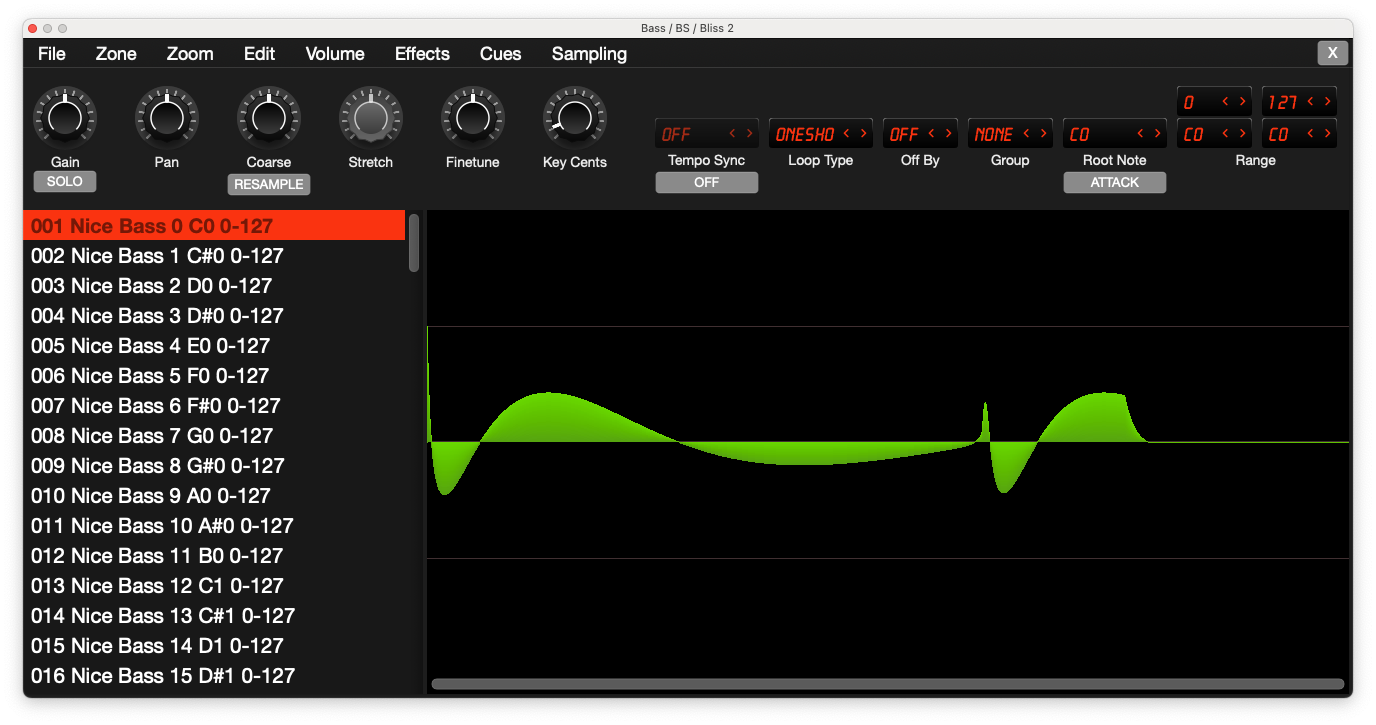
jarkkoi.e. it allows to do in minutes:
key-mapped multisample along the lines of https://www.youtube.com/watch?v=bn4vPrTU9js
e.g. octave interval multisample and use multiple sample slots and instrument number to pick the octave.
if polyend published PTI specification fully then tools such as bliss could easily implement direct export for it. it would be win-win for the ecosystem and the company...
without open specs for file format it is a bit fake to use terms such as "tracker scene" in the advertisements. actually it is not a bit fake, it is fake literally.
 0
0
1
0
0
1
Jarkko Sakkinen
jarkkoTried to login to bugzilla but had some account issue so waiting for that before moving forward.
With 022 umask:
$ sudo sudo bootctl --make-machine-id-directory=yes install
Copied "/usr/lib/systemd/boot/efi/systemd-bootx64.efi" to "/boot/efi/EFI/systemd/systemd-bootx64.efi".
Copied "/usr/lib/systemd/boot/efi/systemd-bootx64.efi" to "/boot/efi/EFI/BOOT/BOOTX64.EFI".
⚠ Mount point '/boot/efi' which backs the random seed file is world accessible, which is a security hole! ⚠
⚠ Random seed file '/boot/efi/loader/random-seed' is world accessible, which is a security hole! ⚠
Random seed file /boot/efi/loader/random-seed successfully refreshed (32 bytes).
Created EFI boot entry "Linux Boot Manager".
With 077 umask:
Copied "/usr/lib/systemd/boot/efi/systemd-bootx64.efi" to "/boot/efi/EFI/systemd/systemd-bootx64.efi".
Copied "/usr/lib/systemd/boot/efi/systemd-bootx64.efi" to "/boot/efi/EFI/BOOT/BOOTX64.EFI".
Random seed file /boot/efi/loader/random-seed successfully refreshed (32 bytes).
Created EFI boot entry "Linux Boot Manager".
Jarkko Sakkinen
jarkkoI tried e.g. #numbat but it does stuff that I don't care. For instance if I proactively do not like calculator to understand any higher level concepts than number systems. For that sort of stuff I rather pick python or similar or wrap bc with a bash script that deals with that. Also fancy features that pile up are also compatibility issue with different calculator tool versions...
So most of the stuff that these promote is a con for my personal taste :-) But yeah speedcrunch is in desktop use super-nice.
1
0
1
Jarkko Sakkinen
jarkkohttps://lore.kernel.org/linux-integrity/D05LXJUT7T5Z.39FGAGHVQ6HZH@kernel.org/
0
0
2
Jarkko Sakkinen
jarkkonot very efficient syntax to write or e.g. embed to a shell script. it looks like from surface that there's probably a shared crate or something that "everyone' uses :-) i stick to bc for now...
1
0
1
Jarkko Sakkinen
jarkko
0
0
0
Jarkko Sakkinen
jarkko 1
0
0
1
0
0