
Jarkko Sakkinen
jarkko
This other issue is something that I’ve yet to find a reason:
$ zypper se qemu-s390x
Repository 'Main Repository (NON-OSS)' is out-of-date. You can run 'zypper refresh' as root to update it.
Repository 'Main Repository (OSS)' is out-of-date. You can run 'zypper refresh' as root to update it.
Repository 'Main Update Repository' is out-of-date. You can run 'zypper refresh' as root to update it.
Repository 'Open H.264 Codec (openSUSE Tumbleweed)' is out-of-date. You can run 'zypper refresh' as root to update it.
Repository 'Sublime Text - x86_64 - Stable' is out-of-date. You can run 'zypper refresh' as root to update it.
Loading repository data...
Retrieving repository 'Main Repository (NON-OSS)' data...
Error retrieving metadata for 'Main Repository (NON-OSS)':
Can't create metadata cache directory.
Problem loading data from 'Main Repository (NON-OSS)'
Warning: Repository 'Main Repository (NON-OSS)' could not be refreshed. Using old cache.
Retrieving repository 'Main Repository (OSS)' data...
Error retrieving metadata for 'Main Repository (OSS)':
Can't create metadata cache directory.
Problem loading data from 'Main Repository (OSS)'
Warning: Repository 'Main Repository (OSS)' could not be refreshed. Using old cache.
Retrieving repository 'Main Update Repository' data...
Error retrieving metadata for 'Main Update Repository':
Can't create metadata cache directory.
Problem loading data from 'Main Update Repository'
Warning: Repository 'Main Update Repository' could not be refreshed. Using old cache.
Reading installed packages...
S | Name | Summary | Type
--+------------+----------------------------------------------------------+--------
| qemu-s390x | Machine emulator and virtualizer for S/390 architectures | package
~ on main
$ sudo zypper se qemu-s390x
Loading repository data...
Reading installed packages...
S | Name | Summary | Type
--+------------+----------------------------------------------------------+--------
| qemu-s390x | Machine emulator and virtualizer for S/390 architectures | package
 1
1
 0
0
 0
0
Jarkko Sakkinen
jarkko
my favorite tool for working with #polyend #tracker: #discodsp bliss 2. it is almost like instrument editor for polyend tracker because it comes also with standalone version.
i.e. it allows to do in minutes:
key-mapped multisample along the lines of https://www.youtube.com/watch?v=bn4vPrTU9js
e.g. octave interval multisample and use multiple sample slots and instrument number to pick the octave.
if polyend published PTI specification fully then tools such as bliss could easily implement direct export for it. it would be win-win for the ecosystem and the company...
without open specs for file format it is a bit fake to use terms such as "tracker scene" in the advertisements. actually it is not a bit fake, it is fake literally.
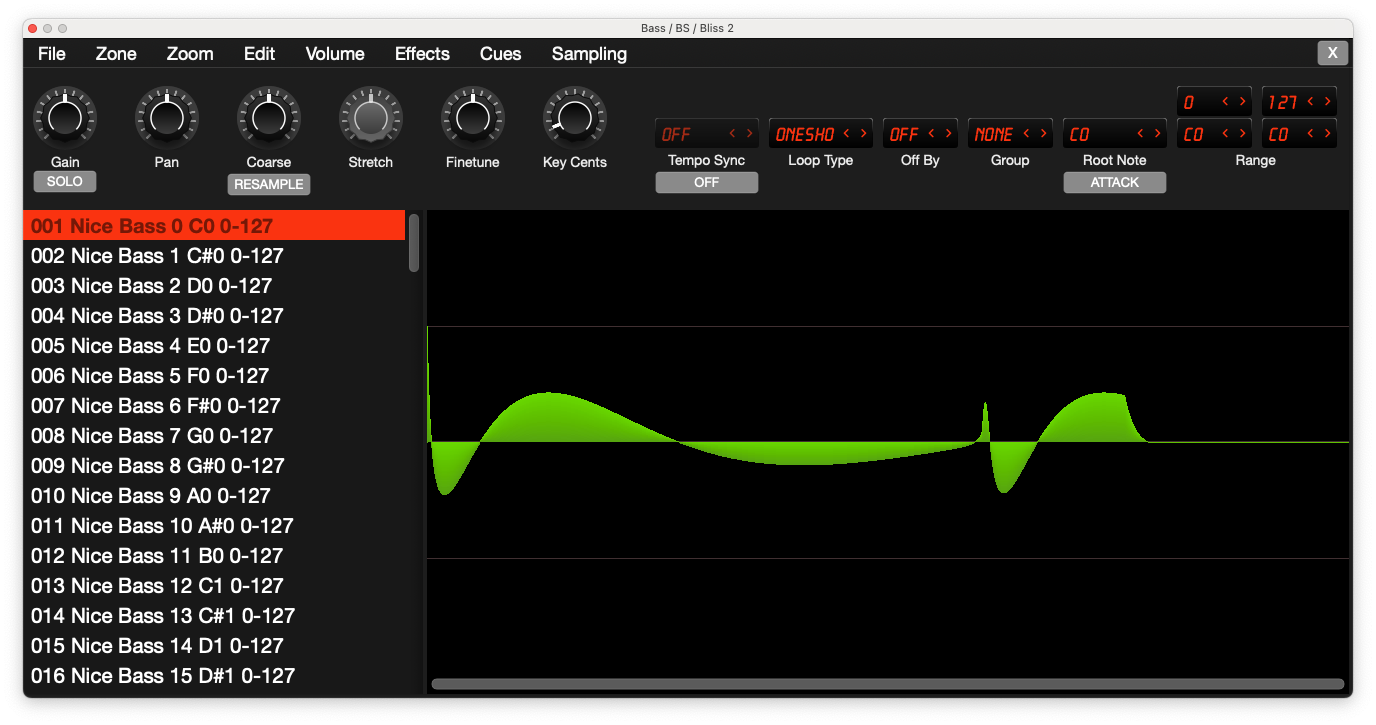
i.e. it allows to do in minutes:
key-mapped multisample along the lines of https://www.youtube.com/watch?v=bn4vPrTU9js
e.g. octave interval multisample and use multiple sample slots and instrument number to pick the octave.
if polyend published PTI specification fully then tools such as bliss could easily implement direct export for it. it would be win-win for the ecosystem and the company...
without open specs for file format it is a bit fake to use terms such as "tracker scene" in the advertisements. actually it is not a bit fake, it is fake literally.
0
0
1
Jarkko Sakkinen
jarkko
Edited 2 years ago
Tried to login to bugzilla but had some account issue so waiting for that before moving forward.
With 022 umask:
$ sudo sudo bootctl --make-machine-id-directory=yes install
Copied "/usr/lib/systemd/boot/efi/systemd-bootx64.efi" to "/boot/efi/EFI/systemd/systemd-bootx64.efi".
Copied "/usr/lib/systemd/boot/efi/systemd-bootx64.efi" to "/boot/efi/EFI/BOOT/BOOTX64.EFI".
⚠ Mount point '/boot/efi' which backs the random seed file is world accessible, which is a security hole! ⚠
⚠ Random seed file '/boot/efi/loader/random-seed' is world accessible, which is a security hole! ⚠
Random seed file /boot/efi/loader/random-seed successfully refreshed (32 bytes).
Created EFI boot entry "Linux Boot Manager".
With 077 umask:
Copied "/usr/lib/systemd/boot/efi/systemd-bootx64.efi" to "/boot/efi/EFI/systemd/systemd-bootx64.efi".
Copied "/usr/lib/systemd/boot/efi/systemd-bootx64.efi" to "/boot/efi/EFI/BOOT/BOOTX64.EFI".
Random seed file /boot/efi/loader/random-seed successfully refreshed (32 bytes).
Created EFI boot entry "Linux Boot Manager".
Jarkko Sakkinen
jarkko
@clementd actually if #speedcrunch had 1:1 terminal clone that would totally work for me. I like it and it is well thought, great desktop calculator.
I tried e.g. #numbat but it does stuff that I don't care. For instance if I proactively do not like calculator to understand any higher level concepts than number systems. For that sort of stuff I rather pick python or similar or wrap bc with a bash script that deals with that. Also fancy features that pile up are also compatibility issue with different calculator tool versions...
So most of the stuff that these promote is a con for my personal taste :-) But yeah speedcrunch is in desktop use super-nice.
I tried e.g. #numbat but it does stuff that I don't care. For instance if I proactively do not like calculator to understand any higher level concepts than number systems. For that sort of stuff I rather pick python or similar or wrap bc with a bash script that deals with that. Also fancy features that pile up are also compatibility issue with different calculator tool versions...
So most of the stuff that these promote is a con for my personal taste :-) But yeah speedcrunch is in desktop use super-nice.
1
0
1
Jarkko Sakkinen
jarkko
I'm a big fan of #linux #kernel #gpu documentation :-) Would make total sense for trusted keys. Especially in crypto seeing code and documentation simultaneously would be an asset.
https://lore.kernel.org/linux-integrity/D05LXJUT7T5Z.39FGAGHVQ6HZH@kernel.org/
https://lore.kernel.org/linux-integrity/D05LXJUT7T5Z.39FGAGHVQ6HZH@kernel.org/
0
0
2
Jarkko Sakkinen
jarkko
Edited 2 years ago
@clementd e.g. using English language like syntax to "improve readability" i guess. hurts my eyes tbh looks really convoluted.
not very efficient syntax to write or e.g. embed to a shell script. it looks like from surface that there's probably a shared crate or something that "everyone' uses :-) i stick to bc for now...
not very efficient syntax to write or e.g. embed to a shell script. it looks like from surface that there's probably a shared crate or something that "everyone' uses :-) i stick to bc for now...
1
0
1
Jarkko Sakkinen
jarkko
I stopped using KDE after 3.5 and returned when switching to Tumbleweed. Otherwise, it is all good but this "account type" option simply should not exist at all :-)
0
0
0
Jarkko Sakkinen
jarkko
@monsieuricon phew, right, it is there, thanks :-) https://git.kernel.org/pub/scm/docs/kernel/pgpkeys.git/tree/graphs/3AB05486C7752FE1.svg
 1
0
0
1
0
0
Jarkko Sakkinen
jarkko
@liw https://github.com/Byron/gitoxide i'd presume that you might be aware of it already but just in case
0
0
1
Jarkko Sakkinen
jarkko
Edited 2 years ago
@monsieuricon BTW, I must have been doing something wrong at the time but I recall sending my public key for wot and https://www.kernel.org/doc/wot/ does not have it. still i've used signed tags as long as I can remember to past.
I recall that I have required amount of blessings for my key (need to sanity check). I guess I need to re-submit the public key, right?
I recall that I have required amount of blessings for my key (need to sanity check). I guess I need to re-submit the public key, right?
1
0
0